Got a New iPhone for Christmas? 10 Essential Things You Must Do First
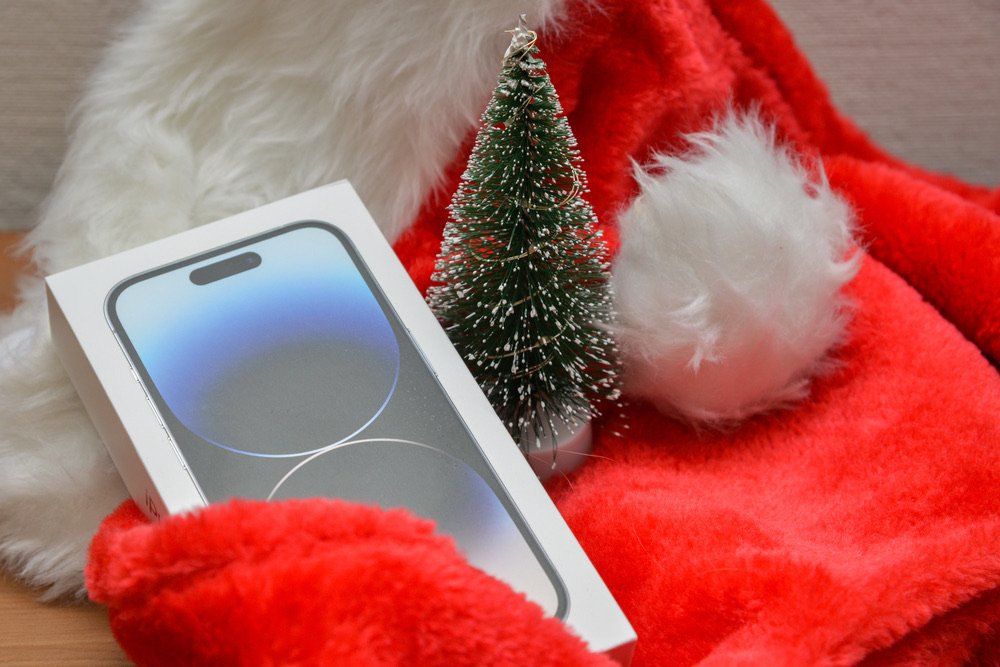
The complete guide to setting up your new iPhone and turning it into the perfect everyday assistant
December 26, 2025 – Christmas 2025 brought millions of new iPhones to homes across America. If you unwrapped Apple’s signature white box this morning, congratulations! Now comes the fun part: transforming your new device into a perfectly calibrated tool for your needs.
Whether you received the latest iPhone 16 Pro, the versatile iPhone 16, or a still-powerful previous model, this guide will help you set it up right from day one, avoiding common mistakes and maximizing its potential.
1. Complete Your Data Transfer (But Do It Smart)
The first temptation when firing up your new iPhone is transferring all data from your old device. Great idea, but with strategy:
- Use “Quick Start” if you want a complete, identical transfer
- Consider a clean setup if your old iPhone was cluttered with unused apps
- Leverage iCloud to transfer only photos, contacts, and essentials
Pro tip: A new iPhone is the perfect opportunity for a digital detox. According to a 2024 study, the average user has 35 apps installed but regularly uses only 9.
2. Set Up Face ID and Security Methods
Before doing anything else, make sure your iPhone is secure:
- Configure Face ID carefully, including the “alternate appearance” option (useful with sunglasses or masks)
- Set a strong passcode (6 digits minimum, alphanumeric is better)
- Enable “Find My iPhone” immediately
- Configure Emergency SOS with your trusted contacts
You can never be too secure, especially considering your smartphone now contains your entire digital life.
3. Optimize Battery Settings
Modern iPhones have excellent batteries, but some settings make a difference:
- Enable “Optimized Charging” to preserve battery longevity
- Adjust auto-brightness (Settings > Accessibility > Display)
- Disable background app refresh for non-essential apps
- Use Low Power Mode when needed
4. Set Up Apple Pay and Wallet
If you drive, Apple Pay and Wallet will become your best friends:
- Add your credit and debit cards
- Insert loyalty cards from your favorite gas stations
- Configure digital keys if your car supports them
- Add tickets and passes for travel and parking
5. Customize Control Center
With iOS 18, Control Center is fully customizable. Make it yours:
- Add the most useful widgets for your daily routine
- Position most-used shortcuts for easy access
- Configure CarPlay controls if you drive
- Create different pages for home, work, and travel
6. Download Essential Apps (The Ones That Actually Make a Difference)
Here’s where it gets interesting. A new iPhone deserves apps that make it truly intelligent and useful. Beyond the messaging and social apps everyone knows, there are applications that can genuinely transform how you live.
Magica Mileage Tracker: The Smart Assistant for Drivers
If you own a car, motorcycle, or scooter, Magica is the app that will turn your new iPhone into the most comprehensive travel assistant you’ve ever had.
Why Magica is essential on your new iPhone:
Automatic Trip Tracking
Thanks to iOS technologies and Bluetooth, Magica automatically recognizes when you’re driving. You don’t even need to open the app: it activates itself, records your trip, and turns off when you park. It’s like having an invisible co-pilot doing all the work for you.
Complete Vehicle Management
Your new iPhone becomes the perfect digital logbook:
- Refueling and charging tracked automatically
- Expiration dates (insurance, registration, inspection) always monitored
- Maintenance scheduled with smart notifications
- Consumption and costs analyzed in real-time
Perfect for Business Use
If you use your car for work, Magica is indispensable:
- Automatic calculation of IRS mileage deductions (67¢/mile for 2025)
- Export to PDF and CSV for your accountant or employer
- Automatic classification of trips (business, personal, commute)
- Complete fleet management for small businesses
CarPlay Integration
With your new iPhone, Magica integrates seamlessly with CarPlay:
- Monitor trip data directly from your car’s display
- Manage refueling and charging without taking your eyes off the road
- Receive maintenance notifications at the right time
Total Privacy
Unlike American competitor apps, Magica is privacy-first and all data stays on your device. No cloud storage, no unwanted sharing. Your data is yours alone.
Maximum Tax Savings With the IRS standard mileage rate at 67¢/mile for 2025, every business mile you track can save you real money. Magica users report saving an average of $3,200 annually in tax deductions by accurately tracking their business mileage. That’s money back in your pocket every April.
📲 Download Magica Free from the App Store
7. Configure iCloud Smartly
Free iCloud storage (5GB) fills up fast. Optimize:
- Enable “Optimize iPhone Storage” for photos
- Disable iCloud backup for heavy apps you can re-download
- Consider iCloud+ if you manage lots of photos and documents
- Use Family Sharing to split storage
8. Set Up Siri and Shortcuts
Siri can do much more than you think, especially while driving:
- Configure “Hey Siri” for hands-free commands
- Create Automations for recurring actions (e.g., “Start Magica when I connect to CarPlay”)
- Use Shortcuts for complex tasks with one tap
- Enable Siri while driving for maximum safety
9. Physically Protect Your Investment
A new iPhone deserves protection:
- Apply a screen protector (tempered glass is best)
- Choose a case that protects without compromising aesthetics
- Consider AppleCare+ if you use your device intensively
- Activate “Crash Detection” for safety while driving
10. Explore Hidden iOS 18 Features
Your new iPhone has surprising capabilities:
- Custom Focus Modes for different times of day
- Action Mode for stable videos even while moving
- Journal to track trips and special moments
- Offline translations for international travel
- Smart Reply with AI for emails and messages
Start Leveraging Your New iPhone Right Now
Your new iPhone has enormous potential. With the right configuration and essential apps, it becomes a tool that genuinely simplifies daily life.
If you drive even occasionally, don’t underestimate the importance of a trip tracking and vehicle management app. Magica Mileage Tracker was recognized by Apple as “App of the Week” and has over 40,000 downloads worldwide for a reason: it actually works.
Start 2026 on the right foot:
- ✅ iPhone perfectly configured
- ✅ Trips automatically tracked
- ✅ Tax deductions maximized
- ✅ Car managed intelligently
- ✅ Privacy guaranteed 100%
📱 Download Magica Free and Try It Today
Learn More About Magica:
- Website: www.magica-app.com
- Guarantee: Free download with complete features
- No required subscription: Use essential features free
- Privacy-first: Your data never leaves your device
Tax Season is Coming Don’t wait until April to start tracking your business miles. Every trip you don’t record is money left on the table. With Magica, you’re automatically building a complete, IRS-compliant mileage log from day one.
Start Tracking Your Miles Now – Download Free
Questions about setting up your new iPhone or want tips on getting the most from Magica? Visit our website or contact us directly from the app!