Best Mileage Tracker for Gig Workers in 2026 (Uber, Lyft, DoorDash, Instacart)

If you drive for a living — Uber, Lyft, DoorDash, Instacart, Grubhub, Amazon Flex — your miles are money. At the 2026 IRS standard rate — 72.5 cents per mile through June, 76 cents from July — a driver logging 20,000 business miles a year is looking at $2,000–$3,000+ in tax savings. Miss those miles and you’re handing that money back.
Here’s the problem nobody tells you when you start: the platforms underreport your miles. So the single most important tool in your gig setup isn’t the delivery app — it’s the mileage tracker running underneath it. Let me walk you through what to look for, why most trackers leave money on the table, and what I’d use.
The trap: your platform’s mileage number is too low
This is the part that costs gig drivers the most. The miles your platform reports are *not* your deductible miles:
- Uber and Lyft show “online miles” — the miles while you’re logged in and available. Closer to reality, but they still don’t count the drive to your starting zone or the drive home after you log off.
- DoorDash, Grubhub, Instacart typically report only active delivery miles — restaurant to customer. Everything else (driving to the restaurant, between orders, repositioning, the trip home) is invisible to them.
The IRS lets you deduct *all* your business miles, not just the ones the app counted. But to claim them, you need your own contemporaneous log with date, route, purpose, and total miles per trip. If you rely on the platform’s number, you’re leaving real deductions on the table — often thousands of miles a year.
That’s why a dedicated tracker isn’t optional for gig work. It’s how you capture the miles the platforms don’t.
What to look for in a gig mileage tracker
Not all trackers are built for the way gig drivers actually work. Four things matter:
- Automatic tracking. When you’re juggling stacked orders, you will forget to tap “start.” A tracker that detects trips automatically captures the miles a manual one loses.
- Easy work/personal classification. You switch between gig miles and personal errands constantly. Classifying trips should take one tap, not a form.
- IRS-ready reports. At tax time you need a clean, exportable log (PDF/CSV) your accountant or tax software accepts.
- It works across every platform. You don’t drive for one app — your tracker shouldn’t care whether tonight is DoorDash or Lyft.
A fifth one most people ignore until it bites them: where your data lives. A mileage log is a detailed map of everywhere you’ve driven. Worth knowing whether that sits on your phone or on a company’s servers.
The options in 2026
The honest landscape, by what each does best:
| Tracker | Tracking | Best for | Data |
|---|---|---|---|
| Magica | Automatic | All-platform drivers who want privacy + full vehicle tracking | On-device |
| Stride | Manual | Drivers who want free-forever and don’t mind tapping start | Cloud |
| Everlance | Automatic (capped on free) | Drivers OK with a subscription for unlimited auto trips | Cloud |
| MileIQ | Automatic | Simple swipe classification, but pricey after the hike | Cloud |
| TripLog | Automatic | Power users who want lots of configuration | Cloud |
Stride is genuinely free but manual — I broke down that trade-off in Stride vs Magica. Everlance and MileIQ automate tracking but gate it behind subscriptions and keep your trips in the cloud. They’re all capable; the question is what you’re optimizing for.
Why I built Magica for this
I’m Dimitri, and I build Magica — a mileage tracker and full vehicle app for iOS and Android. Gig drivers are exactly who I had in mind, because the two things that cost them most are the two things I designed around.
- Automatic tracking, so you stop losing miles. Magica detects trips by motion and Bluetooth — no tapping start before every order. The miles the platforms don’t count get captured anyway, and classify into Work / Personal with one tap.
- Your data stays on your phone. Magica keeps everything on-device, encrypted — there’s no Magica server holding your routes. Backups go to your own iCloud; sync between iOS and Android happens without your driving history passing through my servers. For a job that maps everywhere you go, that matters.
- IRS-compliant reports, exportable as PDF/CSV for your accountant — built around the 2026 rate.
- A full vehicle app, not just a logger: fuel tracking, maintenance, deadlines, plus natural-language voice logging (say “filled up 12 gallons for 48 dollars”), native CarPlay, and EV support.
If you specifically deliver food, I wrote a deeper guide on tracking miles for delivery work: Is there an app to track mileage while DoorDashing?

Try Magica for Free
Download the app and start automatically tracking your business trips. No credit card required.
Download Now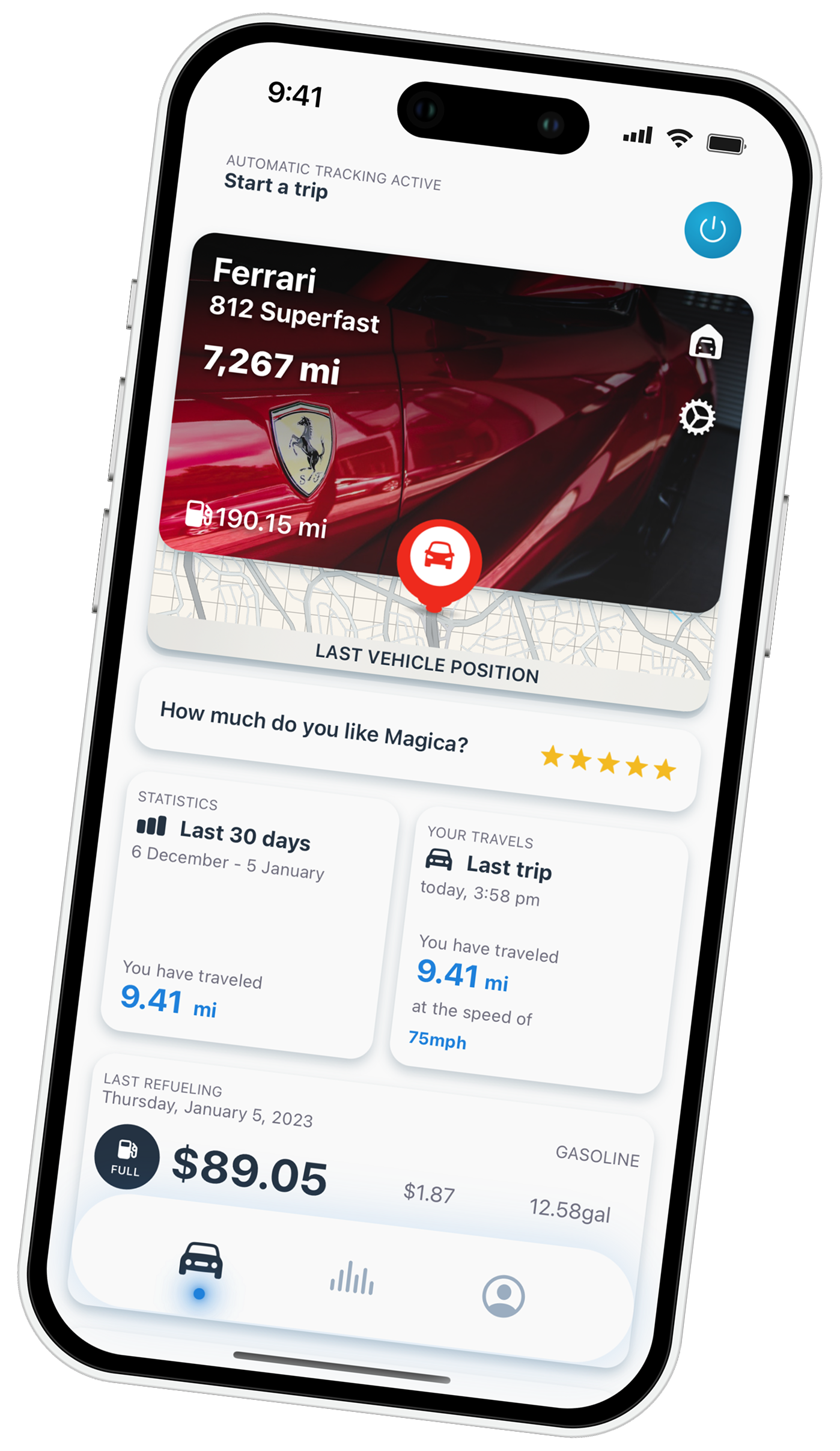
Platform-by-platform: what to watch
- Uber / Lyft: Don’t trust the year-end “online miles” as your full deduction. Track door-to-door, including the drive to your start zone and back.
- DoorDash / Grubhub: Active-delivery miles are a fraction of your real total. Automatic tracking is the difference between deducting the reported miles and deducting all of them.
- Instacart: Same as delivery — the app sees the trip to the customer, not the rest of your shift.
- Amazon Flex: Block-based work still means uncounted miles to and from the station. Capture them.
The common thread: automatic, all-day tracking beats any platform’s number.
A note on taxes
The 2026 IRS standard business mileage rate is 72.5 cents per mile through June 30 and 76 cents from July 1, set in IRS Notice 2026-10 and revised to 76 cents from July 1 by Announcement 2026-11. You choose either the standard mileage rate *or* the actual expense method for a vehicle — not both. The figures here are general; for your specific situation, talk to a tax professional. What no app can do for you is recreate miles you never logged — which is the whole case for automatic tracking.
FAQ
What’s the best mileage tracker for gig workers? The best one captures every business mile automatically, classifies trips in one tap, and exports IRS-ready reports. Magica does this with on-device privacy; Stride is a solid free option if you don’t mind manual tracking.
Can’t I just use the miles Uber or DoorDash report? No — those numbers are lower than your actual deductible miles. Platforms report online or active-delivery miles only, missing the driving in between and to/from home.
Do gig workers really need a separate app? Yes. The IRS requires a contemporaneous mileage log, and the platform’s summary doesn’t qualify as a complete one. A dedicated tracker is how you claim everything you’re owed.
Is there a free mileage tracker for gig work? Stride is free but manual. Magica is free to start with automatic tracking and keeps your data on your device.
Try it, and if something’s missing, email support — that’s how the app grows.
Gig driving in Australia? The deduction works differently there — the ATO logbook app guide covers the 91 cents per kilometre rate, the 5,000 km cap and what a logbook has to contain.
And none of them let you simply ask. Magica connects to Claude and other AI assistants over a local, on-device API and MCP, so you can query your trips and mileage in plain language.
Try Magica for Free
Download the app and start automatically tracking your business trips. No credit card required.
Download Now




2 commenti su “Best Mileage Tracker for Gig Workers in 2026 (Uber, Lyft, DoorDash, Instacart)”
I commenti sono chiusi.