Best MileIQ Alternatives in 2026: An Honest Comparison After the Price Hike

Updated June 2026 — by Dimitri Giani, developer of Magica.
If you’re reading this, you’ve probably just opened your App Store and seen MileIQ charging $13.99 a month — a price that, in just a few months, has more than doubled. You’re not alone. Across the App Store and Google Play, thousands of users are venting their frustration after the second price hike in 2026, and many are looking for a way out.
This guide is for you. It’s an honest, no-fluff comparison of the 7 best MileIQ alternatives in 2026 — what they cost, what they do well, what they don’t, and which one fits your specific use case. Some are cheaper. Some are more feature-rich. Some are simply better suited to certain professions.
Yes, this article lives on Magica’s blog — and yes, we think Magica is a strong choice for many of you. But we’ll also be straight when another app is a better fit for your needs. That’s the only way a comparison guide is worth your time.
What Changed With MileIQ in 2026
For years, MileIQ was the default mileage tracker for freelancers, real estate agents, and small business owners. Simple, automatic, reliable. Then in July 2025, MileIQ was acquired by Bending Spoons — the Italian holding company that also owns Evernote, WeTransfer, and Meetup, known for raising prices aggressively after acquisitions.
The pattern played out quickly:
- Early 2026: monthly subscription raised from $5.99 to $8.99 (+50%)
- May 2026: a second jump from $8.99 to $13.99/month
That’s a 133% increase in less than a year, with no major new features added.
The reaction in App Store reviews has been brutal. Three themes emerge again and again:
- Aggressive pricing — users describe the increases as “greedy” and out of proportion with what they’re getting.
- Broken core functionality — multiple recent reviews mention the app no longer tracks drives reliably, especially after phone changes.
- Unresponsive customer support — emails to support going unanswered for weeks.
If you’re seeing the same problems, it’s not just you.
When does it still make sense to stay with MileIQ? Honestly, only one scenario: you’re locked into a non-refundable annual plan, you only need basic mileage tracking, and the new price is acceptable to you. For everyone else, it’s time to look elsewhere.
How to Choose the Right Mileage Tracker
Before jumping into the list, here are the seven criteria worth thinking about:
1. Pricing model and stability. Subscription, freemium, or one-time? Does the company have a track record of stable pricing, or has it raised prices repeatedly?
2. Platform availability. iOS, Android, or both? Some apps are stronger on one platform than the other.
3. Where your data lives. Cloud-based apps store your full driving history on company servers. On-device apps store it only on your phone. This matters for professionals dealing with client confidentiality — real estate agents, healthcare workers, lawyers, consultants.
4. Scope. Pure mileage tracker, or full vehicle management with fuel logs, maintenance, multi-vehicle support? Choose based on what you’ll actually use.
5. Tax compliance. Does it generate IRS-compliant reports out of the box? Can it export in formats your accountant will actually use (PDF and CSV)?
6. Automatic detection quality. This is the make-or-break feature. If the app misses trips, you lose deductions.
7. Battery impact. A mileage tracker that drains your battery by noon is a mileage tracker that gets uninstalled.
Keep these in mind as you read the comparison.
The 7 Best MileIQ Alternatives in 2026 — Comparison Table
| App | Best For | Annual Cost | iOS | Android | Data Storage | Beyond Mileage |
|---|---|---|---|---|---|---|
| Magica | Privacy + full vehicle management + lowest annual price | $14.99/yror $69.99 lifetime (iOS) | ✓ | ✓ | On-device only | Fuel, maintenance, EV, CarPlay Ultra |
| TripLog | Free automatic tracking | Free / $59.88 | ✓ | ✓ | Cloud | Expenses, integrations |
| Everlance | Mileage + expenses + tax filing | Free (30 trips) / $108 | ✓ | ✓ | Cloud | Expenses, tax filing |
| Driversnote | Simple needs + optional hardware accuracy | Free (15 trips) / paid tiers | ✓ | ✓ | Cloud | iBeacon (extra cost) |
| Hurdlr | Real-time tax estimates for freelancers | Free / up to $120 | ✓ | ✓ | Cloud | Income, expenses, taxes |
| Stride | 100% free for gig workers | Free | ✓ | ✓ | Cloud | Basic expenses, insurance |
| QuickBooks Solopreneur | Existing QuickBooks users | ~$240 | ✓ | ✓ | Cloud | Full bookkeeping |
| MileIQ (for reference) | Simple users willing to pay premium | $139.92/yr$11.66/mo annual · $13.99/mo monthly | ✓ | ✓ | Cloud (Bending Spoons US) | Mileage only |
Pricing verified as of May 2026 from each provider’s official site.
Pricing verified as of May 2026 from each provider’s official site.
1. Magica — Best for Privacy and Full Vehicle Management at the Lowest Annual Cost
Pricing: Free 7-day trial (no credit card) · $3.99/month · $14.99/year (−62%) · $69.99 one-time lifetime (iOS only)
Platforms: iOS and Android
Data storage: 100% on-device
Magica is the only mileage tracker on this list that doesn’t upload your data to its servers. Every trip, every client address, every route stays on your phone. For real estate agents, healthcare workers, lawyers, and anyone dealing with confidential locations, that’s not a feature — it’s a requirement.
But Magica’s most surprising number is its pricing.
A full year of Magica costs $14.99 — less than one single month of MileIQ.
The lifetime option ($69.99, iOS only) is rare in a market dominated by recurring subscriptions, and a smart choice if you’re tired of being squeezed every January.
Beyond mileage, Magica is a genuinely complete vehicle management app: fuel logs with cost-per-unit analysis, maintenance reminders for insurance/tax/service deadlines, multi-vehicle garage (cars, motorcycles, scooters), full EV charging support via Open Charge Map, and CarPlay + CarPlay Ultra integration. The Apple App Store featured it as “App of the Week.”
Magica also includes a configurable CSV importer (iOS), which means you can export your full driving history from MileIQ and re-import it into Magica without losing a single trip. We’ll come back to this in the “How to switch” section below.
Pros: On-device storage; lowest annual price on the market; lifetime option; full vehicle management; CarPlay Ultra; CSV importer; IRS-compliant reports; 300,000+ users; 4.1 App Store rating.
Cons: Lifetime option not available on Android; no real-time tax estimate dashboard (it produces reports for your accountant); no direct QuickBooks/Xero integration (exports via CSV/PDF).
Verdict: If you’re tired of paying $100+ a year for a single mileage tracker, want your data to stay private, and could use broader vehicle features (fuel, maintenance, EV), Magica is the most efficient choice in 2026.

Try Magica for Free
Download the app and start automatically tracking your business trips. No credit card required.
Download Now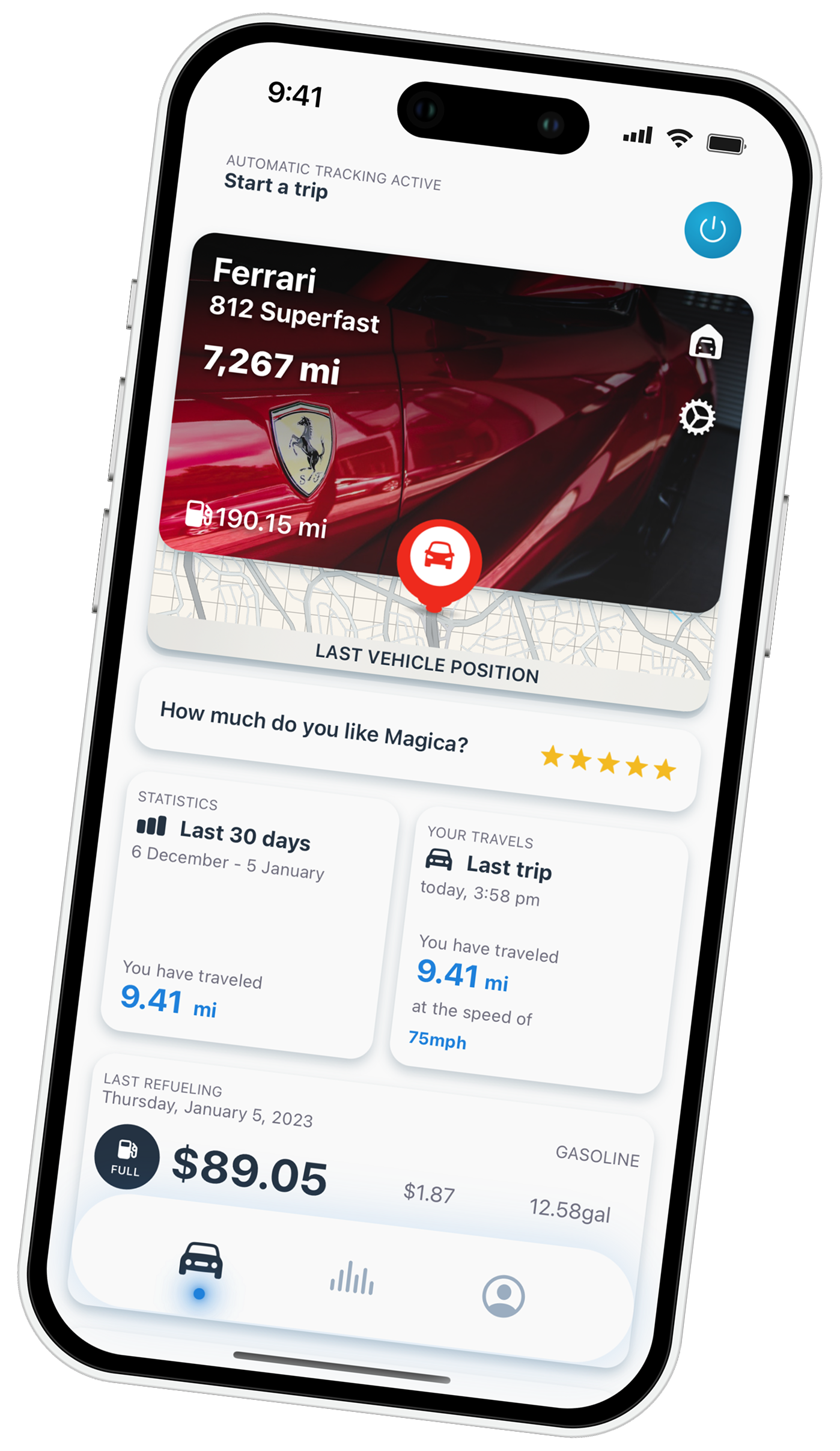
2. TripLog — Best Free Option With Unlimited Automatic Tracking
Pricing: Free (unlimited auto-tracking) · $4.99/month premium
Platforms: iOS and Android
Data storage: Cloud
TripLog made a disruptive move in 2026: unlimited free automatic mileage tracking, something no other paid competitor matches. The premium tier ($4.99/month) adds detailed reporting, expense automation, and integrations with QuickBooks and Xero.
Pros: Truly free automatic tracking; strong accuracy; QuickBooks/Xero integration; works well for small teams and fleets.
Cons: Cloud-based (your data lives on their servers); premium still adds up to ~$60/year; no vehicle management beyond mileage and basic expenses.
Verdict: If you only need mileage tracking, don’t care about cloud storage of your driving data, and want to pay nothing, TripLog is your app. If you need broader vehicle management or privacy, look elsewhere.
3. Everlance — Best for Self-Employed Wanting Mileage + Expenses + Tax Filing
Pricing: Free (30 trips/month) · $9/month premium · higher tiers for tax filing
Platforms: iOS and Android
Data storage: Cloud
Everlance also raised prices in 2026 (from $8 to $9/month) and expanded into tax filing on its premium plan. It’s a more complete tool than MileIQ, with integrated expense tracking.
Pros: Mileage + expenses + tax filing in one place; well-designed interface; reliable automatic detection.
Cons: At $108/year, among the most expensive on this list; cloud-based; the tax-filing expansion may feel like overreach if you only want a tracker.
Verdict: A good fit for self-employed professionals who want a single tool for mileage, expenses, and basic tax workflows. If you’re already happy with a separate tax tool, this is overkill.
4. Driversnote — Best for Simple Needs and Optional Hardware Accuracy
Pricing: Free tier (15 auto-trips/month) · paid tiers from there
Platforms: iOS and Android
Data storage: Cloud
Driversnote is a Danish app with strong tax-compliance content (IRS, CRA, HMRC, ATO) and an optional iBeacon hardware device ($40, or free with annual plan) that improves trip detection accuracy.
Pros: International tax compliance; iBeacon hardware option for better accuracy; clean interface.
Cons: Mileage-only — no expenses, no fuel, no maintenance; free tier is very limited (15 trips/month); iBeacon is an extra cost.
Verdict: Good for users with simple needs who want extra detection accuracy and international tax reports.
5. Hurdlr — Best for Freelancers Wanting Real-Time Tax Estimates
Pricing: Free (semi-automatic tracking) · up to $10/month premium
Platforms: iOS and Android
Data storage: Cloud
Hurdlr goes well beyond mileage. It links to over 20,000 banks and payment platforms to track income and expenses, and gives real-time tax estimates as you earn.
Pros: Real-time tax estimates; bank integrations; strong for getting a full self-employment financial picture.
Cons: Premium up to $120/year; cloud-based; tax estimate feature is U.S.-centric.
Verdict: If you want one app to manage your full freelance financial life — mileage, income, expenses, taxes — Hurdlr is the most complete option here. If you only need mileage, it’s overkill.
6. Stride — Best 100% Free Option for Gig Workers
Pricing: Free forever (no paid tier)
Platforms: iOS and Android
Data storage: Cloud
Stride is completely free and monetizes through health insurance marketplace referrals. It tracks mileage and basic expenses with no premium upsell.
Pros: Completely free; IRS-compliant logs; reasonable for basic tracking.
Cons: Reliability is the main complaint (3.0–3.1 Google Play rating); no receipt scanning; insurance cross-selling can feel distracting; basic feature set.
Verdict: A reasonable option if your budget is truly $0 and your tracking needs are simple. For professionals where missing a trip costs real money, Stride’s reliability complaints are worth taking seriously.
7. QuickBooks Solopreneur — Best for Existing QuickBooks Users
Pricing: ~$20/month (mileage tracking included)
Platforms: iOS and Android
Data storage: Cloud
QuickBooks Solopreneur bundles mileage tracking with full bookkeeping. Expensive on its own, but if you already pay for QuickBooks, mileage tracking is included.
Pros: Excellent tracking accuracy; included with existing QuickBooks subscription; full accounting feature set.
Cons: At $240/year, by far the most expensive option on this list if you don’t already use QuickBooks; most of the features are unrelated to mileage.
Verdict: Only makes sense if you’re already a QuickBooks user. Otherwise, massive overkill.
Quick Decision Guide
The short version, if you don’t have time to read the whole comparison:
- You want everything — privacy, vehicle management, lowest price → Magica
- You want free automatic tracking and nothing else → TripLog
- You want mileage + expenses + tax filing in one paid app → Everlance
- You want a full freelance financial dashboard → Hurdlr
- You want 100% free, basic needs only → Stride
- You already use QuickBooks → stick with QuickBooks Solopreneur
- You want a simple tracker with optional hardware → Driversnote
How to Switch From MileIQ to Magica in 5 Minutes
This is where Magica has a real edge over the alternatives. Most articles tell you to “export your CSV and start fresh.” Magica’s iOS app includes a configurable CSV importer, which means you can bring your full MileIQ history with you.
Here’s exactly how:
- Export your data from MileIQ. Log into your MileIQ dashboard, go to Reports, generate a report covering your full history, and export as CSV.
- Download Magica from the Magica. Start your free 7-day trial — no credit card required.
- Open Magica → Settings → Import CSV. Select your MileIQ export.
- Map the columns. Magica’s importer is configurable, so you tell it which CSV column corresponds to date, distance, purpose, etc. This takes about a minute.
- Confirm. Your full trip history is now in Magica, and automatic tracking starts immediately.
- Cancel your MileIQ subscription with no second thoughts.
Total elapsed time: under 5 minutes for most users.
Frequently Asked Questions
Is MileIQ still worth $13.99/month?
For the vast majority of users, no. Most alternatives offer the same core mileage tracking for half the price (or less), and several offer more features. The clearest justification to stay would be a long-term annual prepaid plan you can’t refund.
What’s the cheapest paid MileIQ alternative in 2026?
Magica at $14.99/year is the lowest-priced full-featured paid mileage tracker on the market — less than one month of MileIQ at the new rate. TripLog Premium at $4.99/month (~$60/year) is the runner-up.
Which mileage tracker is the most accurate?
Accuracy depends on phone, OS version, and use pattern. Independent reviews place MileIQ, TripLog, and Driversnote (especially with iBeacon) at the top, with Magica’s Bluetooth-triggered detection also rated as highly accurate by users who have made the switch.
Where do these apps store my data?
All apps in this list except Magica store your full trip history in the cloud. Magica stores everything on your device only, which means your client addresses and routes never leave your phone. This is the key differentiator for privacy-sensitive professionals.
What happens to my MileIQ data if I cancel?
You can export your full data as a CSV from the MileIQ dashboard before canceling. Once you cancel, you typically lose access to the dashboard — so export first. Magica’s iOS app has a configurable CSV importer that lets you bring that history into Magica without losing any trips.
Can I use these apps on both iOS and Android?
All seven apps in this guide are available on both platforms. Magica’s lifetime purchase option is currently iOS-only; the monthly and annual subscriptions work on both.
The Bottom Line
MileIQ’s two consecutive price hikes in 2026 have pushed thousands of users to look for alternatives — and the options are better than they’ve ever been. The right choice depends on what you actually need.
If you want the most economical full-featured option, with privacy by design and a complete vehicle management toolkit, Magica is the strongest fit in 2026. A full year costs less than one month of MileIQ. Your data never leaves your phone. And you get fuel logs, maintenance reminders, multi-vehicle support, EV features, and CarPlay Ultra — none of which MileIQ offers, at any price.
If your needs are simpler — or different — pick the app from this list that matches your specific use case. The point is: in 2026, you no longer have to pay $167 a year for a feature set most apps now offer for free or for a fraction of the price.
One caveat if you are outside the United States: none of these prices or tax rules apply in Australia. The ATO logbook app comparison is the Australian version of this piece.
One capability no mainstream tracker has yet: Magica lets your own AI assistant read your car data over a local API and MCP — ask Claude about fuel, trips and deadlines, all on-device.
Try Magica for Free
Download the app and start automatically tracking your business trips. No credit card required.
Download Now
Full disclosure: This article is published on Magica’s blog. We’ve worked to make it factually accurate and balanced, including recommending other apps when they’re a better fit for your needs. All pricing and features were verified as of May 2026 from each provider’s official site.




Un commento su “Best MileIQ Alternatives in 2026: An Honest Comparison After the Price Hike”
I commenti sono chiusi.