TripLog Alternative (2026): An Honest, Privacy-First Comparison

TripLog made a real change in 2026: it turned its automatic mileage tracking into a free, unlimited feature. So if you’re looking for a TripLog alternative hoping to escape a trip cap, the usual reason to switch trackers is off the table here — the tracking itself won’t cost you anything.
That makes this a more interesting comparison than most. I build Magica, a mileage tracker and full vehicle app, so I’ve gone through exactly how TripLog works now. The honest question isn’t “is it free” — it’s what the app is actually built for, where your driving data ends up, and how much of TripLog you’ll ever really use if it’s just you and your car.
What TripLog does well
Credit where it’s due — TripLog is a serious, capable product, and in a few areas it’s genuinely strong:
- Free, unlimited automatic tracking. The 2026 update made GPS auto-tracking free forever on the Basic plan, with smart Work/Personal classification and basic expense logging. For a single driver, that alone covers a lot.
- Built for reimbursement and fleets. TripLog runs FAVR programs, ACH reimbursement, approval workflows, and integrations with QuickBooks, SAP Concur, ADP, and other payroll and accounting systems. If you manage drivers or run a mileage-reimbursement program, that back office is real and hard to replicate.
- Hardware options for reliability. It sells a dedicated GPS device and a Bluetooth beacon (more on those below) for people who need tracking that doesn’t depend on the phone being awake — useful for company vehicles.
- IRS-compliant reports. Clean, exportable logs that hold up for a deduction or a reimbursement claim.
If you’re a business collecting mileage from a team, TripLog is built for exactly that job, and it does it well.
Where TripLog is a bigger tool than you might need
The flip side of all that capability: TripLog is fundamentally a business expense-and-reimbursement platform. If you’re one person tracking your own car, a lot of it is machinery you’ll never touch.
It’s built for businesses, not just for you
FAVR, ACH reimbursement, approval flows, payroll integrations, an optional time-tracking add-on — these are the reasons companies choose TripLog. They’re also mostly irrelevant if your goal is to log your own miles and keep your own car in order. You end up navigating a tool designed around an accountant and a fleet manager when what you wanted was a clean personal logbook. That’s not a flaw in TripLog; it’s a mismatch of purpose.
Your data lives in the cloud
TripLog requires an account, and your trips sync to its servers — that’s how the web app, the integrations, and the reimbursement features work at all. It’s a reasonable design for a business platform that has to push data into QuickBooks or a payroll system. But it does mean the record of everywhere you’ve driven sits on someone else’s infrastructure, tied to an account. Whether that’s fine is your call — it’s worth knowing before you hand years of location history to it.
Reliable auto-start can mean buying hardware
The free app tracks from the phone, but TripLog also sells two accessories for people who want tracking that’s hands-off and doesn’t miss the start of a drive:
- TripLog Drive — a dedicated GPS device, about $79.99, for offline tracking that doesn’t lean on your phone’s data.
- TripLog Beacon — a Bluetooth trigger, about $19.99, that tells the app when to start a trip.
They work, and for a company vehicle they make sense. But it’s another gadget to buy, keep in the car, and replace — a different promise from tracking that just works from the phone in your pocket.
What it actually costs
To be fair, TripLog isn’t expensive for an individual — the core tracking is free. Here’s the honest shape of the pricing:
- Basic: free, with unlimited automatic tracking and basic expense logging.
- Premium: about $4.99 a month billed annually (~$60/year), which adds unlimited reporting, OCR receipt capture, the web app, cloud backup, auto-classification rules, and the accounting integrations.
- Team and enterprise plans, priced per user, for reimbursement programs and fleet management.
- Hardware and add-ons on top: the Drive device, the Beacon, and an optional time-tracking module.
So the cost question isn’t really “how many dollars.” For a solo driver the free plan may be all you ever pay. The thing you’re actually signing up for is a cloud account and a business platform — and whether that’s the right home for a personal car log is the real decision.
Where Magica is different
I built Magica around a different user: not a fleet, but one person who wants to track their driving and take care of their car — privately.
Automatic tracking from the phone, no hardware
Magica detects trips automatically — by motion and Bluetooth — straight from the phone, with no beacon or GPS dongle to buy, charge, or forget. It also has Auto Switch, which picks the right vehicle automatically over Bluetooth BLE or audio, so a two-car household doesn’t have to fix the log by hand. You capture the miles and tag them Work or Personal with a tap.
Your data stays on your phone
This is the core difference. TripLog is cloud-based with a required account, because it has to be — that’s how a reimbursement platform works. Magica keeps everything on-device and encrypted: there’s no server of mine holding your trips. Backups go to your own iCloud, and iOS-to-Android sync happens without your history passing through my infrastructure. It’s an architecture choice, not a marketing line — there’s no cloud of mine where your location history could sit, leak, or be sold.
A full vehicle app, not a business expense platform
TripLog is a mileage-and-expense tool aimed at reimbursement. Magica is built around the whole vehicle:
- Fuel and charging logs, with fuel-economy and cost tracking.
- Maintenance history and scheduled reminders for services, inspections, and insurance renewals.
- IRS and ACI-compliant reports you export as a PDF for your accountant.
- Natural-language voice logging — say “filled up 12 gallons for 48 dollars” and it records the refuel.
- Native CarPlay — start or stop tracking and classify trips from the car’s display.
- EV-ready — charging logs and a charging-station map.
- Local API + MCP (early access) — connect your own data to AI assistants like Claude, on your device, with permissions you control. You can talk to your car data with AI without any of it leaving the phone.

Try Magica for Free
Download the app and start automatically tracking your business trips. No credit card required.
Download Now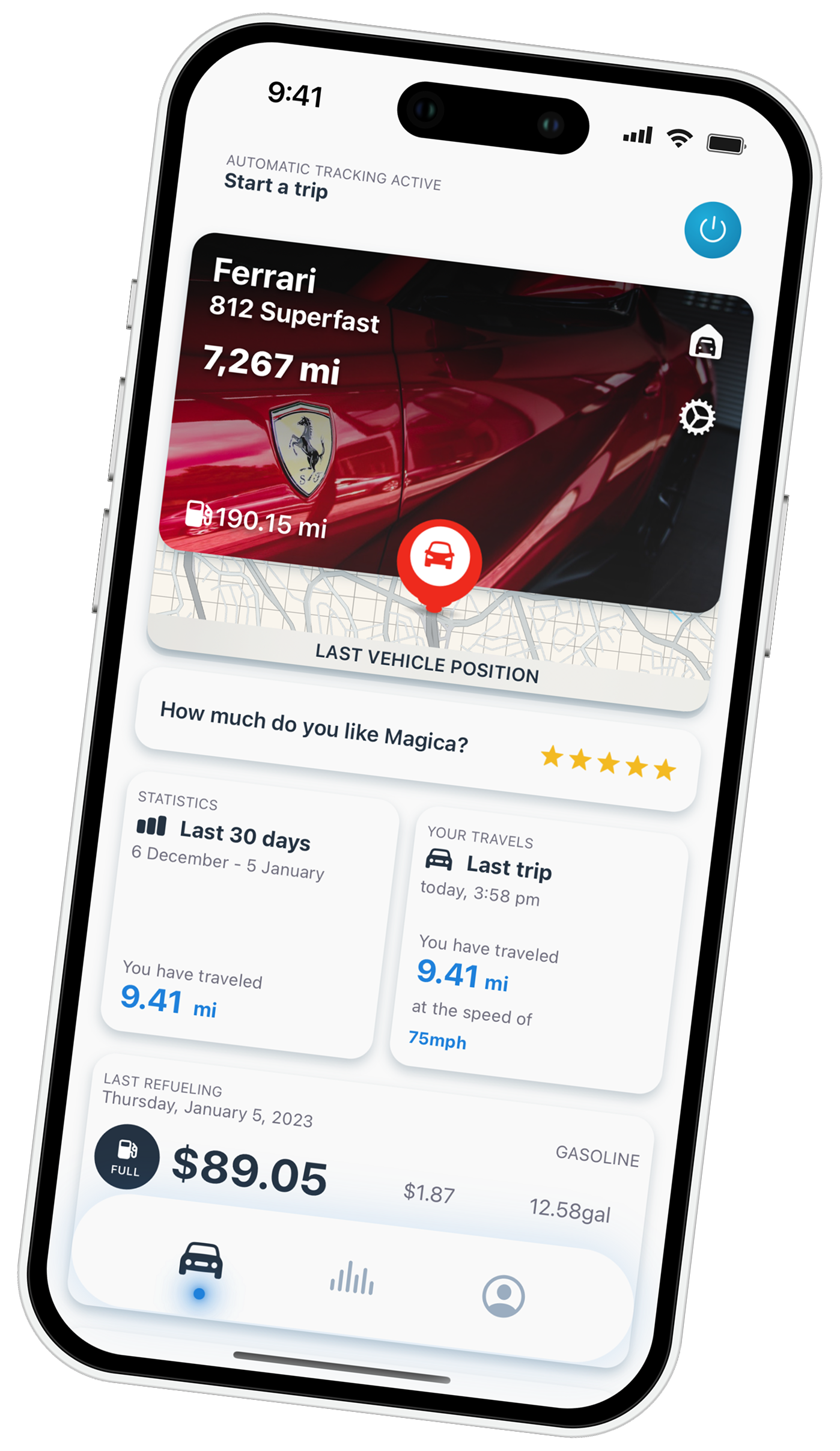
TripLog vs Magica: the honest summary
| TripLog | Magica | |
|---|---|---|
| Automatic tracking | Free, unlimited | Free, unlimited |
| Reliable auto-start | App, or optional Drive / Beacon hardware | From the phone (motion + BLE Auto Switch) |
| Data storage | Cloud + required account | On-device, encrypted |
| Built for | Businesses, fleets, reimbursement | One person and their vehicle |
| Scope | Mileage + expenses + reimbursement | Full vehicle: miles, fuel, maintenance, renewals, EV |
| Integrations | QuickBooks, Concur, ADP, payroll | Local API + MCP — your own AI, on device |
When TripLog is the better pick
I’m not going to pretend Magica wins for everyone. Choose TripLog — or stay with it — if:
- You run a business or a fleet. FAVR, ACH reimbursement, approval workflows, and payroll integrations are its whole point, and Magica has none of that by design. If you’re collecting mileage from a team, that’s a real reason.
- You need mileage inside your accounting stack. If the log has to flow into QuickBooks, Concur, or payroll, TripLog is built for it.
- You want a dedicated hardware tracker for a company car and don’t mind the extra device.
Those are honest reasons. If they describe you, TripLog is the right tool.
When to switch to Magica
Move to Magica if:
- It’s just you and your car, and you don’t want to run your personal driving through a business reimbursement platform.
- You’d rather your driving history stay on your phone than live in a cloud with an account attached.
- You want one app for the whole vehicle — mileage, fuel, maintenance, renewals, EV charging — instead of a mileage-and-expense tool.
- You’d like automatic tracking without buying hardware to make it reliable.
A note on taxes
The 2026 IRS standard business mileage rate is 72.5 cents per mile through June 30 and 76 cents from July 1, set in IRS Notice 2026-10 and revised to 76 cents from July 1 by Announcement 2026-11. Any app — TripLog or Magica — is only as good as the miles it actually captures and the report it produces at the end of the year. The figures here are general; for your own deductions, talk to your accountant.
If you’re weighing more than one option, I’ve written the same honest breakdowns for Everlance, MileIQ, Stride, Hurdlr — plus a roundup of the best mileage tracker for gig workers. If you drive for work in Australia, I have covered the ATO logbook rules and the apps that meet them separately.
TripLog FAQ
Is TripLog free in 2026?
Yes. The 2026 update made automatic, unlimited mileage tracking free on the Basic plan. Premium (about $4.99/month billed annually) adds reporting, OCR receipts, the web app, backup, and accounting integrations. Optional hardware — the Drive device (~$79.99) and the Beacon (~$19.99) — costs extra.
What’s the best TripLog alternative?
It depends on why you’re switching. If you want a private, on-device log and a full vehicle app rather than a cloud reimbursement platform, Magica tracks trips automatically with no hardware and keeps your data on your phone.
Does TripLog require a cloud account?
Yes. TripLog needs an account and syncs your trips to its servers — that’s what powers the web app, the integrations, and the reimbursement features. Magica keeps trips on-device, encrypted, with no company server in the middle.
Is TripLog good for a business or fleet?
Yes — it’s built for it, with FAVR, ACH reimbursement, approval flows, and payroll and accounting integrations. Magica is single-user by design and doesn’t offer fleet or reimbursement tools.
Does TripLog need hardware to track automatically?
No. It tracks from the phone on the free plan. The Drive and Beacon accessories are optional, for hands-off or offline tracking on company vehicles. Magica’s automatic tracking runs from the phone with no accessory.
Try Magica, and if something’s missing, email support — that’s how the app keeps getting better.
Try Magica for Free
Download the app and start automatically tracking your business trips. No credit card required.
Download Now




Un commento su “TripLog Alternative (2026): An Honest, Privacy-First Comparison”
I commenti sono chiusi.